
 yro
yroFrom an invoice to a draft, ready for your approval
Pyro reads each invoice, codes every line to your client's own accounts and VAT, and sends it to your accounting software as a draft. Nothing posts until you approve it.
Try it on a sample invoice
Pick a sample and press Read. Nothing is uploaded and nothing is charged.
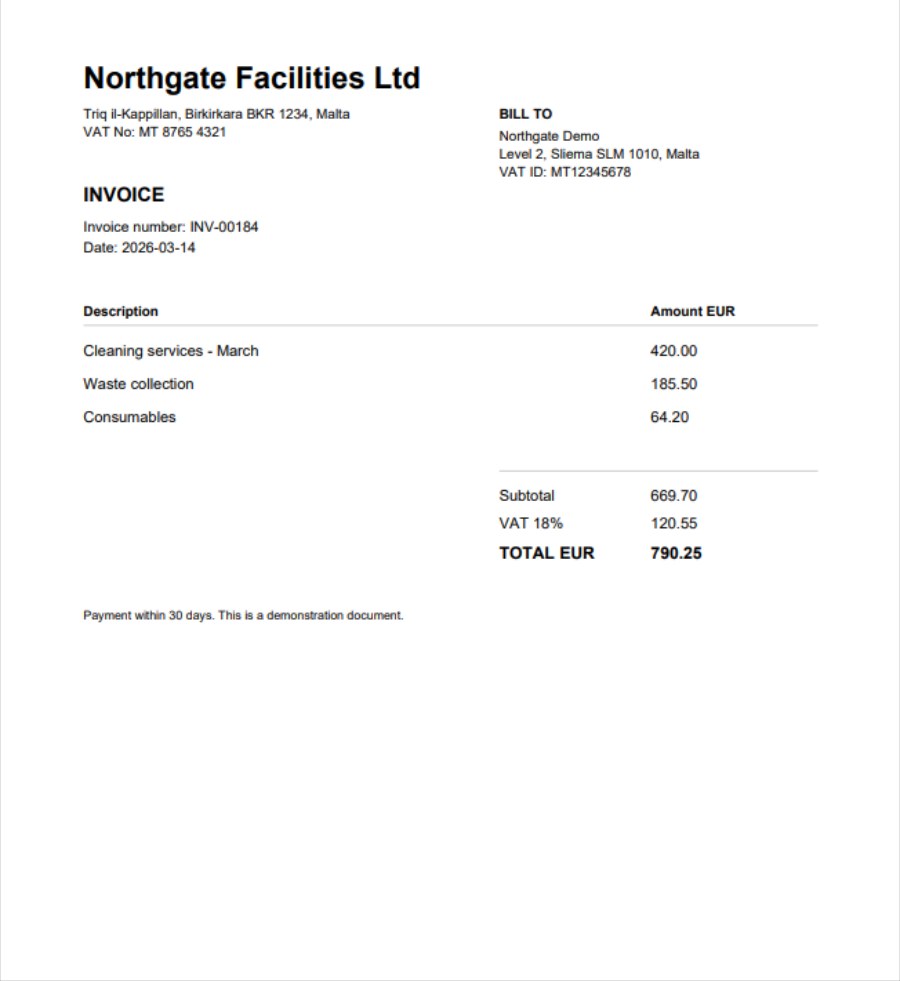
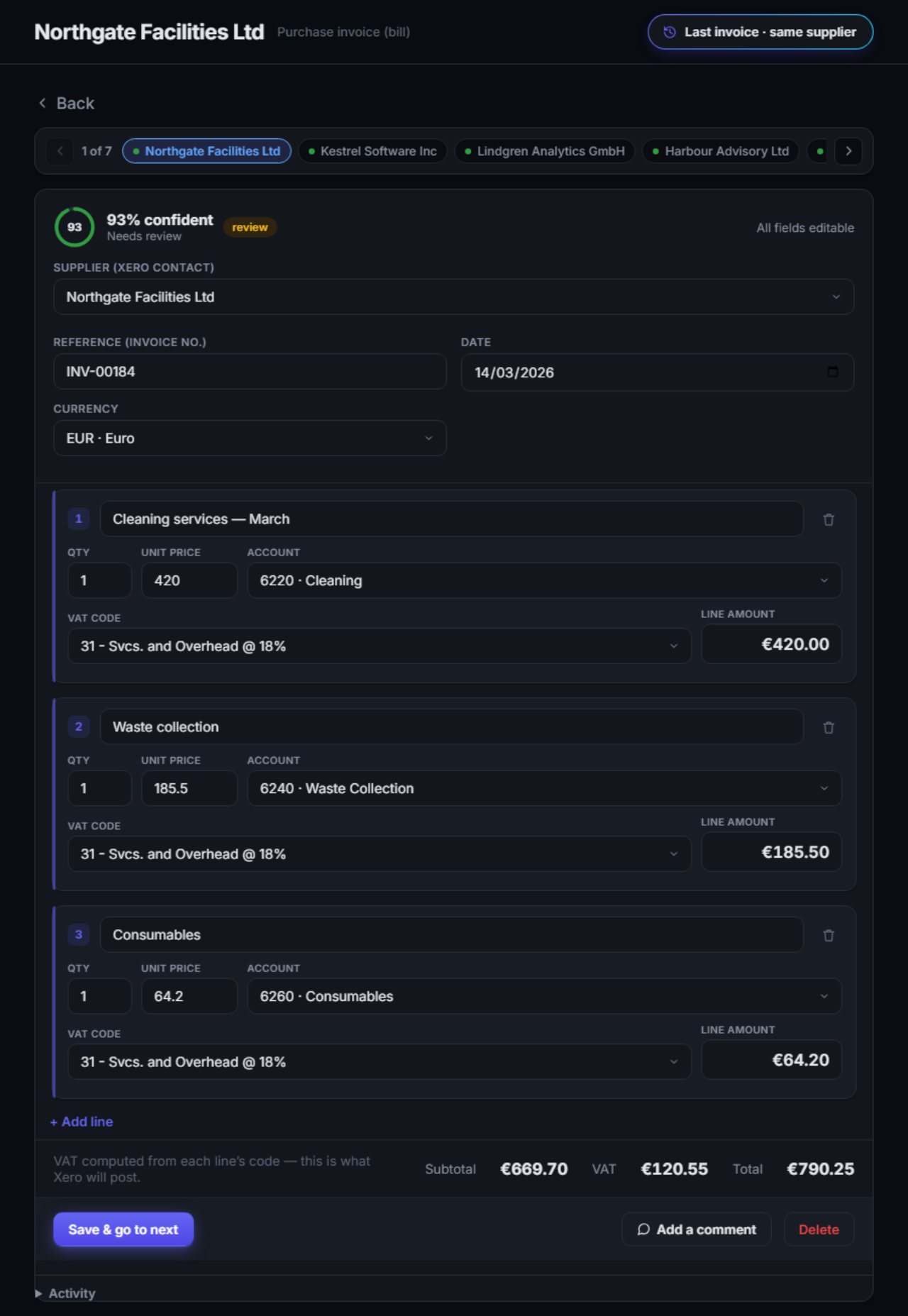
This sample isn't recorded there yet.
A recorded result from the real Pyro app on a demonstration client. Nothing is posted anywhere.
How it works
- 1
Upload
PDFs, scans and images, to the right client, several at once.
- 2
Read
The supplier or customer, dates, every line, the VAT and the totals.
- 3
Code
Each line gets an account and a VAT treatment from the client's own chart and history.
- 4
Review
You check each invoice beside its source, change anything, then approve.
- 5
Send
It arrives in your accounting software as a draft, with the original attached.
What Pyro handles
Maltese VAT, including reverse charge, exempt and out of scope
Purchase and sales invoices
PDFs, scans and images
Bundled statements, split line by line
Duplicates caught before they post
Multi-currency, at ECB exchange rates
EU VAT numbers checked on VIES
Accruals and prepayments across periods
Learns from every correction you make
The original attached to every draft
Unlimited users for your whole team
Spend reports by client
Works with your accounting software
More integrations coming soon. Using something else? Tell us.



Clients and charts of accounts, synced
Drafts, with the original attached
Signed in through your software's own sign-in
What happens to a document after you upload it
Where it's stored, who can reach it, and what's encrypted.
Encrypted at rest
Connection tokens and keys are encrypted with AES-256-GCM before they're stored.
Your firm, your data
Every client, document and invoice is scoped to your firm alone.
Official sign-in
You sign in through your accounting software's own sign-in. Pyro never sees your password.
Payments by Stripe
Card details are never seen or stored by Pyro.
Upload the first invoice.
See what Pyro does with it.
Setting up your firm costs nothing. We'll contact you within 48 hours, and once you're approved you get €1.00 of credit to run your own invoices. No card required.